
Render templates let you write a small JSX component that takes a span’s input or output asDocumentation Index
Fetch the complete documentation index at: https://laminar.sh/docs/llms.txt
Use this file to discover all available pages before exploring further.
data and renders it however you want. Use them when the default messages, JSON, YAML, and text views don’t show your data the way you want to read it.
Where to find them
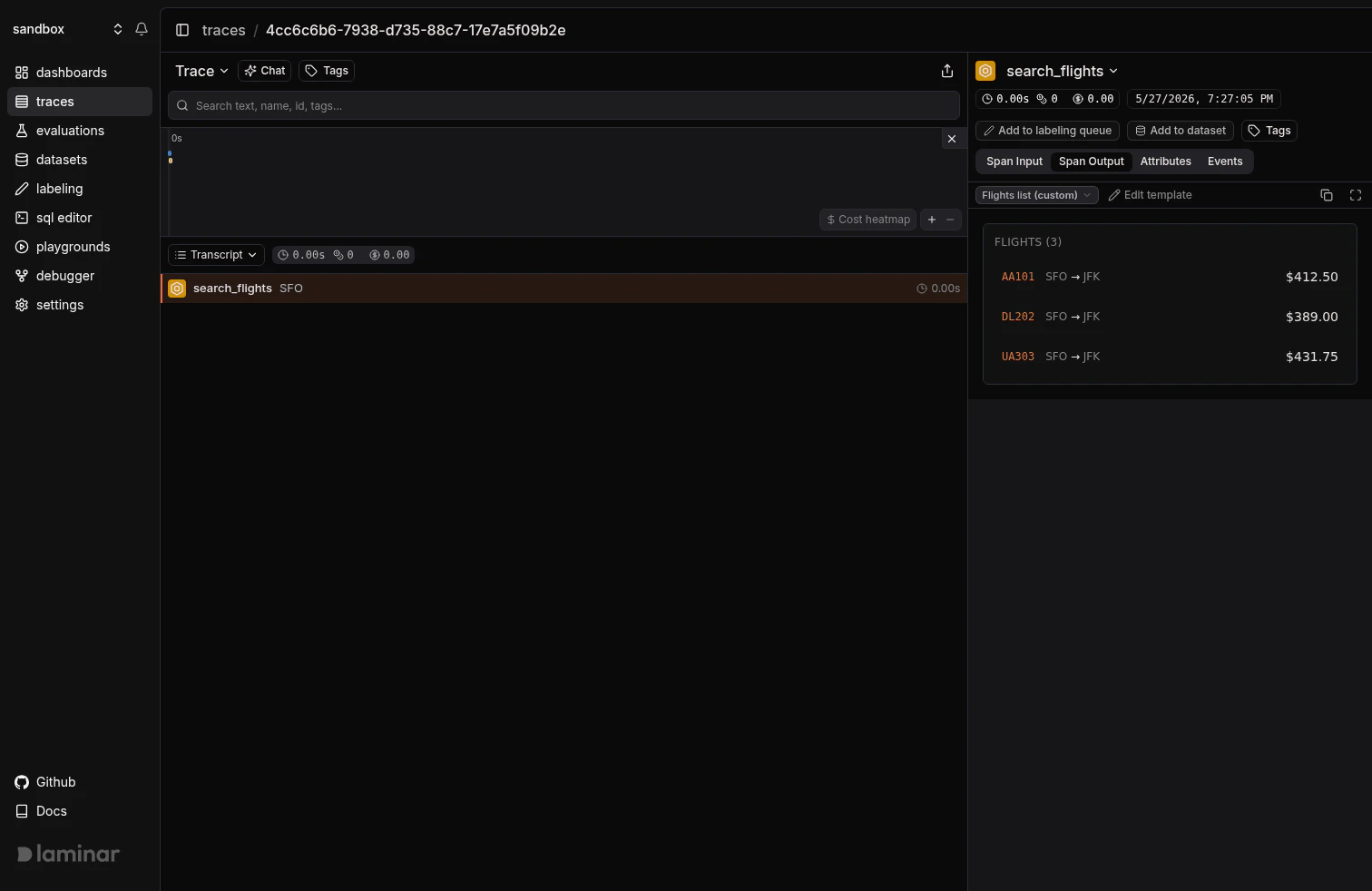
Every input/output viewer in Laminar has a mode picker in the top-left corner. Alongside the default LLM Messages, JSON, YAML, and TEXT modes, the picker lists every render template in the project under Custom. Pick one and the pane renders through that template.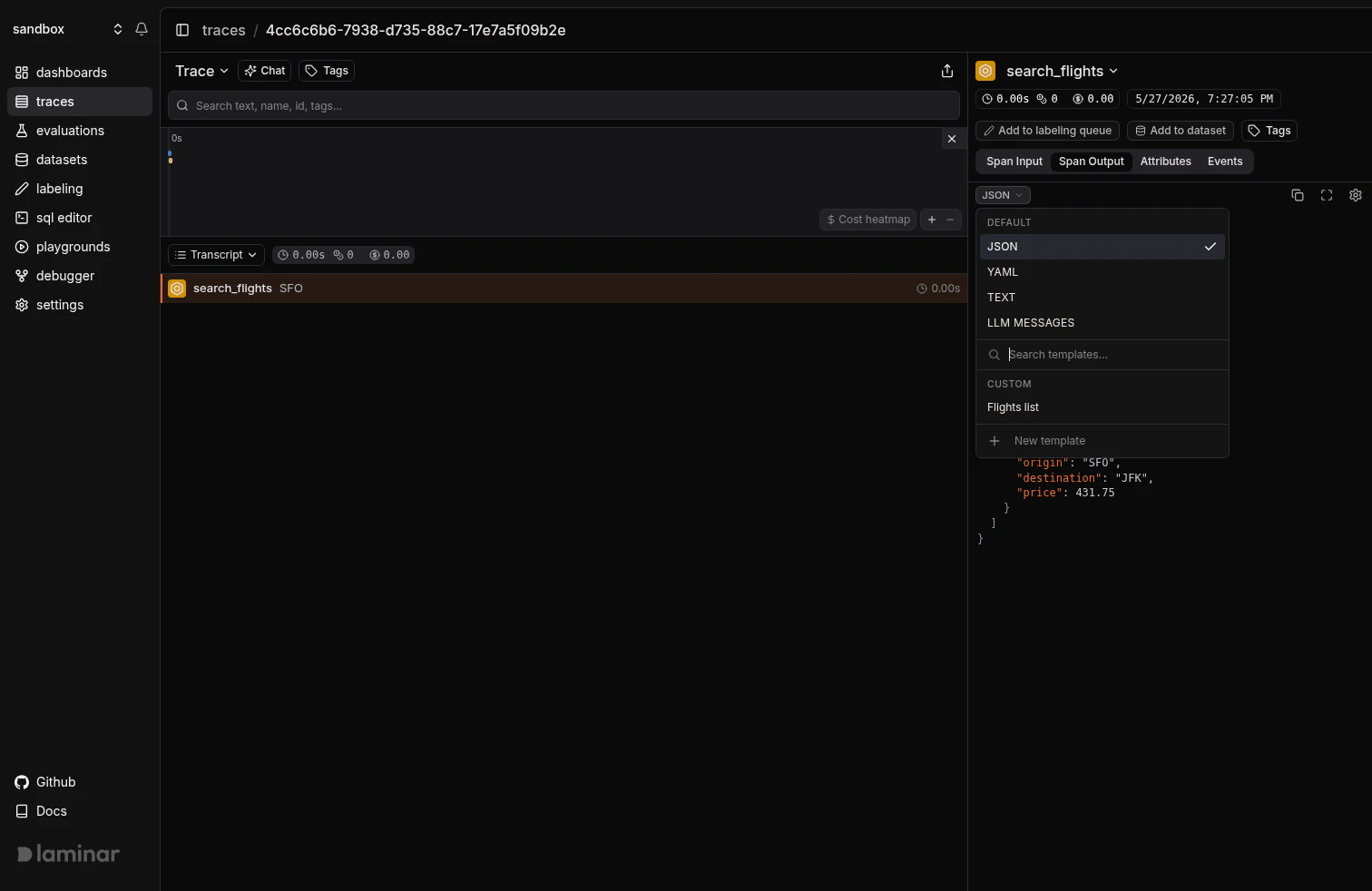
Write a template with AI
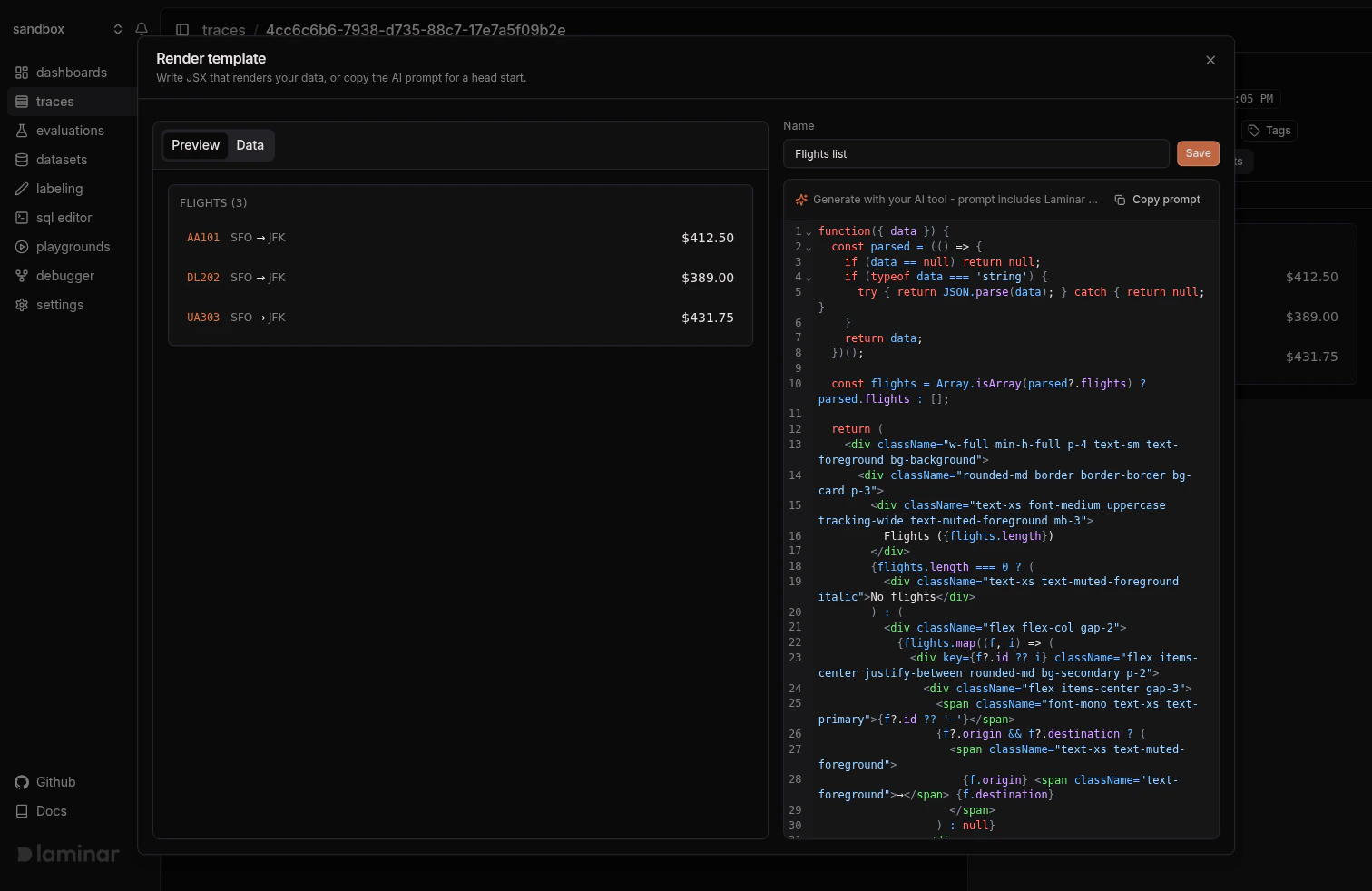
Open any I/O view, pick the mode dropdown, and click + New template. In the dialog:- Paste a sample payload into the Data tab on the left.
- Click Copy prompt.
- Paste it into Claude, ChatGPT, or any other LLM, add a line describing the view you want, and send.
- Paste the returned JSX into the code editor. The preview updates live.
- Name the template and click Create.
Manage templates
Open Project Settings → Render Templates to edit or delete any template in the project.What a template looks like
A template is one function that takes{ data } and returns JSX:
data can be anything the pane shows: an object, array, primitive, null, or undefined.
Next steps
Viewing traces
Transcript view, tree view, timeline, and the I/O panes where render templates apply.
Query across traces
Use the SQL editor, SQL API, CLI, or MCP server to slice every span and signal across your traces.